

Here's a confession that should probably worry me: I've sent prospects straight to a competitor's website on purpose. Dozens of times. So has almost every agency owner I know, and most of them don't even realize they're doing it.
You do it every time you tell a local business owner, "here, run your listing through this free audit tool." It feels generous. It feels free. And it is free, for everyone except you.
There are at least a dozen free Google Business Profile audit tools online right now. All of them work. That's exactly the problem. This guide is about building your own Google Business Profile audit tool instead, hosting it on your own domain, and keeping the one thing every other tool was designed to take from you.
The lead.
No computer-science degree required. A HTML page, an n8n workflow, and about fifteen minutes.
What's on this page
- Every "free GBP audit tool" is a lead capture form (just not yours)
- Why an unsolicited audit outperforms a cold pitch
- What a credible GBP audit actually checks
- The architecture: Place ID to API to n8n to your branded report
- Building it: the n8n workflow, step by step
- From 1 audit to 5,000: auditing a whole territory
- What it costs, and how to price the offer
- Sending it: turning an audit into a booked call
- FAQ
Every "free GBP audit tool" is a lead capture form (just not yours)
Open a new tab. Search "free Google Business Profile audit." Count the tools. You'll get Merchynt, LocalHQ, Spokk, a handful of others, all promising an instant score in sixty seconds with no credit card. They deliver, too. The report shows up in your inbox, the numbers look real, everybody's happy.
So what's the catch? The catch is who owns the front door.
What those tools actually do with the search
Merchynt's free GBP audit tool is a good example, and I mean that as a compliment to their funnel design, not an insult. You log in with the Google account that manages the profile, you pick keywords, you get a score plus a heatmap. Clean. Useful. And notice what just happened: the prospect handed over a business name, a verified email, and a very loud buying signal. To Merchynt. Not to you. Merchynt even sells the white-label version of that exact tool through their agency program, so the agency rents back the thing that's capturing its own leads.
The data you hand over every time you send a prospect there
Here's the trade you're making, spelled out. Your prospect gets a report. The tool's owner gets a lead. You get a PDF and a thank-you. That's a bad trade, and you make it every single time.
The frustrating part is that these audits genuinely work as a sales motion. A complete Business Profile makes customers 2.7 times more likely to consider a business reputable and 70% more likely to visit (Google, via BrightLocal). Waving that kind of evidence in front of a prospect is a phenomenal opener. So why keep doing it on rented land?
And it's not just the free tools. The whole category is built for agencies to consume, never to own. AgencyAnalytics publishes a solid "how to perform a GBP audit" guide next to its white-label reporting dashboard. Swydo runs "the ultimate guide to Google Business Profile audits for marketing agencies." Great content, both of them. Notice what neither one hands you: the actual tool, on your actual domain. They teach the method and keep the machine.
Why an unsolicited audit outperforms a cold pitch
51.7% of Google Maps listings in France have no website at all. In the US, it's 42.5%. Every one of those is a conversation you could start with evidence instead of an opener. And that's just the businesses with a glaring, obvious gap.
Those numbers aren't guesses. Here's the count, pulled fresh:
| Market | Maps listings indexed | No website | 50 reviews or fewer |
|---|---|---|---|
| United States | 25,788,207 | 10,959,237 (42.5%) | 21,833,403 (84.7%) |
| France | 6,688,318 | 3,460,276 (51.7%) | 5,784,423 (86.5%) |
Source: Scrap.io, counts run on 12 August 2026. Counts on Scrap.io are free and unlimited, so you can rerun them for any city or category if you want a more local number.
Specificity beats personalization
"Personalization" in cold outreach usually means merging a first name into a template. That's not personalization. That's a mail merge wearing a costume. An audit is different: it shows the prospect something true about their own business that they didn't know five minutes ago. And 84% of consumers searched for a local business in the past three months, with 42% clicking straight into the map pack results (BrightLocal, 2026). The demand is there. Your prospect just can't see how badly they're leaking it.
The audit reframes the sale: you're not selling SEO, you're reporting a problem
This is the whole trick. When you pitch SEO, you're a vendor asking for money. When you send an audit, you're a messenger delivering bad news about a fixable problem. Nobody argues with the messenger. They ask how to fix it. That reframe is why acquisition tools like Localo build entire content libraries around getting local SEO clients through diagnosis rather than pitching. We keep this section short on purpose, because the mechanics of client acquisition are a whole other rabbit hole.
What a credible GBP audit actually checks
How many checks does an audit need before a business owner believes it? Fewer than you'd think. But they have to be the right ones, and they have to be honest about what's actually measurable.
The 6 dimensions that matter
The kit in this guide organizes every audit into six dimensions. Not thirty checkboxes nobody reads. Six. Each one splits into what's going well and what to fix, in plain language.
| Dimension | What it covers | Why it moves the needle | How to check it |
|---|---|---|---|
| Profile Optimization | Category mapping, claimed status, localized URL, rich attributes | Category is the top local pack signal; strategic categories rank 25% higher | Public + API for attributes |
| Content and Descriptions | Brand consistency, semantic richness, linked-site SEO | A 750+ character description drives 2.5x more impressions | Public + linked website |
| Reviews and Reputation | Average rating (shown as a visual bar), volume, review quality | 50+ reviews means 266% more likely to hit the Local Pack | Public |
| Photos and Visual Media | Volume, 360 Street View, exterior and menu shots | 100+ photos means 520% more calls and 1,065% more site clicks | Public + API for counts |
| Activity and Engagement Signals | Popular times, foot-traffic peaks, popularity | Signals a live, real business that Google trusts | Needs a data layer |
| Unique Features | Differentiating attributes specific to the business | Turns a generic listing into a positioned one | Public + API |
Two of those stats deserve a second look together. 84.7% of US listings have 50 reviews or fewer (see the table above), while businesses that cross 50 reviews are 266% more likely to appear in the Local Pack (BrightLocal). Read that again. The overwhelming majority of American businesses are sitting just below the threshold that actually decides local visibility. That single sentence, put in front of the right owner, sells the audit for you.
The other numbers in that table hold up too. Strategically chosen categories rank 25% higher in the Local Pack, a 750+ character description pulls 2.5x more impressions, and profiles with 100+ photos see 520% more calls and 1,065% more website clicks (Google, compiled by Searchlab). None of it is exotic. All of it is checkable, and most of it is sitting unfixed on the listings in your own city.
Which checks are publicly visible, and which need an API
Some of this you can eyeball. Category, star rating, photo count, whether there's a website, whether the listing is claimed. All public, all visible to anyone with a browser. Where it gets interesting is the structured stuff: attributes, review breakdown by score, foot-traffic signals, the linked site's tech and metadata. That's where a data layer earns its keep. If you want the deep version of the "fix it" side, hand it off to a Google Business Profile optimization checklist rather than reinventing it here. Our job is to detect, not to re-explain how to rank higher on Google Maps.
Why a score is worthless and a recommendation isn't
Now the part nobody says loudly enough. A score out of 100 is useless to everyone involved. The owner doesn't know what to do with a 62. The agency can't bill against a 62. Every free tool on the SERP spits out a number whose formula is a black box, and a black box doesn't sell anything.
A recommendation does.
"Your primary category is set to Restaurant, but every review you have talks about your Bakery" is not a number. It's a mission. It has a first step, a second step, an outcome. That's the difference between a scorecard and a to-do list somebody will actually pay you to work through. Say it with me: a score doesn't sell, a recommendation does. It's also, conveniently, exactly what lets you benchmark against local competitors instead of grading in a vacuum.
The architecture: Place ID to API to n8n to your branded report
The whole thing is four moving parts. If you've ever set up a Zapier zap, you can run this. No exaggeration.
Input: how you identify the listing (Place ID)
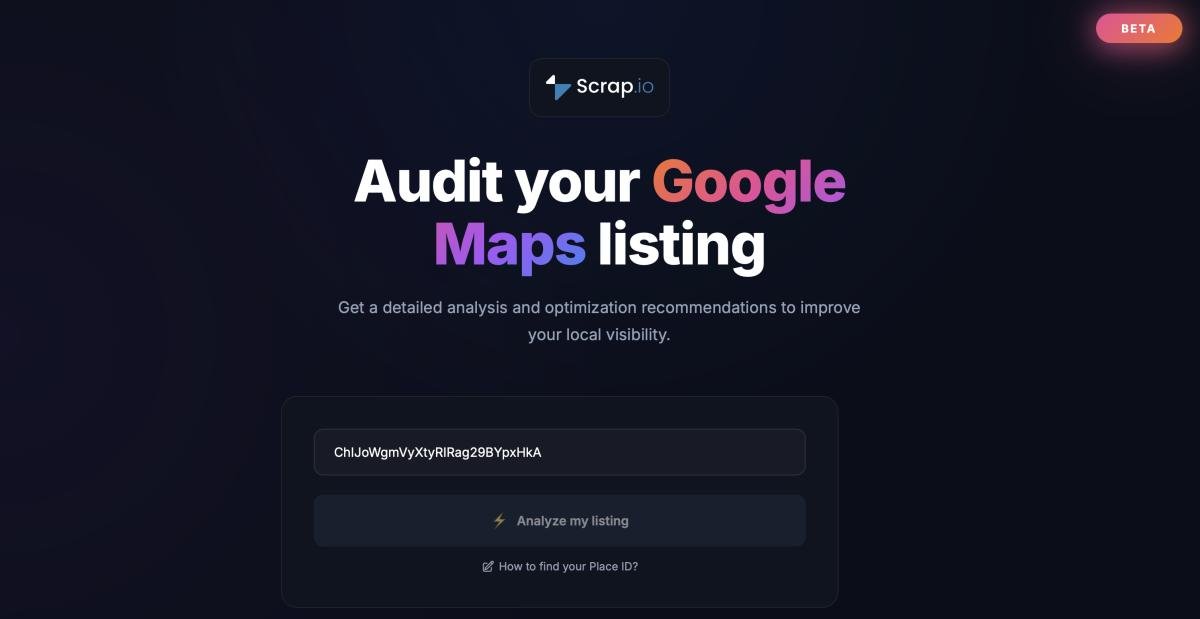
Every business on Google Maps has one unique identifier, the Place ID, a string that always starts with ChIJ. That's the input. Feed the tool a Place ID and it knows exactly which listing to pull, no ambiguity between the three "Joe's Pizza" locations in town. Not sure how to grab one? Here's how to find any business Place ID. For a single test, it's a ten-second job.
Data layer: where the listing data comes from
Once the tool has a Place ID, it needs the actual data behind that listing: category, reviews, photos, attributes, the linked website. This is the layer where Scrap.io sits in the reference build, pulling every field in real time rather than reading from a database that went stale six months ago. Fresh data matters here more than anywhere, and we'll come back to why in a minute.
Logic layer: scoring and recommendations
This is n8n's job. The workflow takes the raw data, runs it through the six dimensions, and writes the strengths and the numbered recommendations. No black-box number. Written, specific advice, generated per listing.
Output: a single URL per prospect
The result is one branded audit page, on your domain, at its own URL. You send that link. The prospect opens their audit. At the bottom sits an opt-in form ("get your personalized optimization report") that feeds your list. That's the loop.
Want to see what the finished report looks like before you build anything? The live demo and the full kit are on the resource page. Take a look, then decide.
Building it: the n8n workflow, step by step
Fifteen minutes from an empty n8n canvas to a working audit URL. Here's the order of operations, as a plain checklist first:
- Get your Scrap.io API key.
- Import the workflow into n8n.
- Deploy the audit page on your domain.
- Test it with a real listing.
That's the whole build. Now the detail on each one.
Step 1: Get your Scrap.io API key
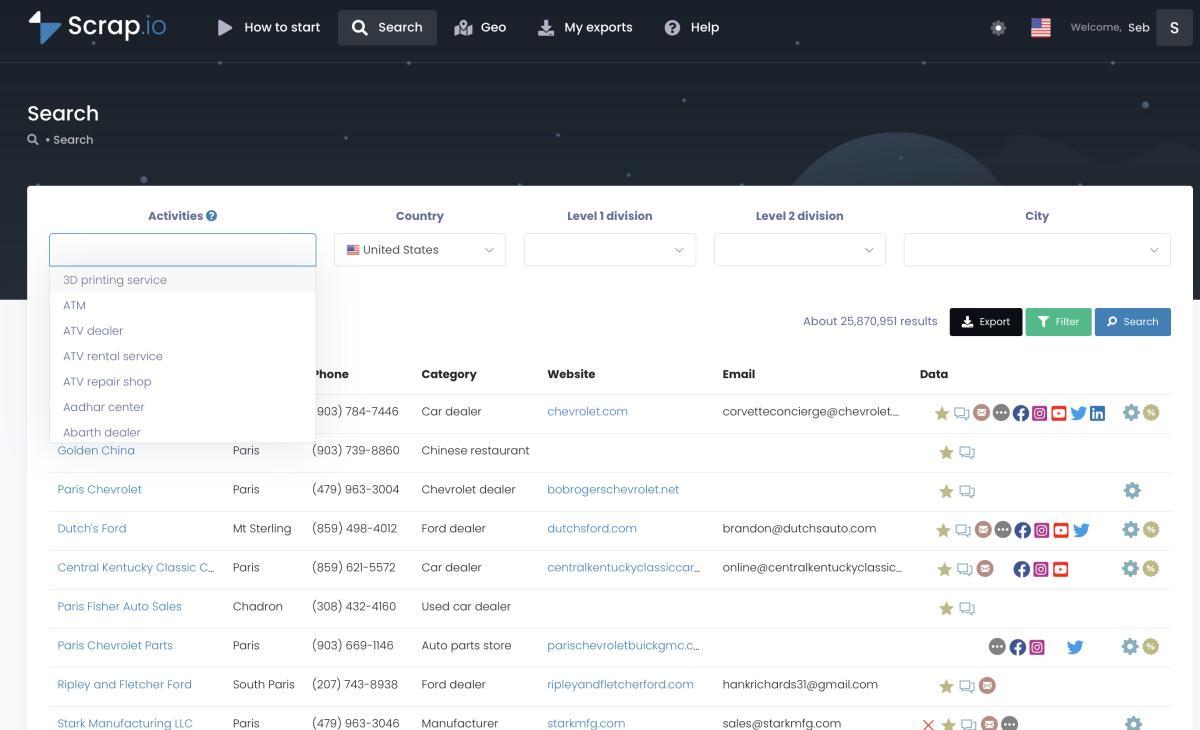
The data layer needs an authenticated source. Sign up, open your account settings, generate an API key, copy it. The REST API is included on every plan, so there's no separate "API tier" to buy. If you've never touched the platform, the two-minute walkthrough below is the fastest way in, and the full getting-started documentation covers the endpoints. This is also, not by accident, the same Google Maps scraper API that powers the scale play in the next section.
Video: Scrap.io - How to Start?
Step 2: Import the workflow
The n8n workflow ships as a single JSON file. In n8n, you import it, paste your API key into the credential slot, and the nodes wire themselves. If you'd rather see the pattern in a more general form first, n8n publishes a public Generate leads with Google Maps template that shows the same query-and-store logic. Prefer Make.com to n8n? The same workflow in Make.com exists as a free pre-built scenario. Same result, different canvas.
Video: Scrap.io + Make.com - Turn Google Maps into Business Leads on Autopilot (the no-code alternative to the n8n build)
Step 3: Deploy the audit page on your domain
The audit page is plain HTML. It deploys like any static page, on Netlify, on Vercel, on a subfolder of your existing site, wherever you host things. This is the step that makes the tool yours: your logo, your colors, your URL. That's the whole point. The lead lands on your property, not somebody else's funnel.
Step 4: Test it with a real listing
Grab a Place ID for a business you know, drop it in, run it. You should get a full audit page back in a few seconds: six dimensions, strengths, numbered recommendations, the rating bar. If the data looks off, check that your API key is live and the Place ID is current. That's basically the only thing that goes wrong.
Get the audit page + the n8n workflow, free, no signup. The HTML, the JSON workflow, and a test Place ID are all on the resource page. Grab it, brand it, ship it.
From 1 audit to 5,000: auditing a whole territory
One agency owner audits a listing before every call. Another audits every plumber in three counties before picking up the phone. Same tool, wildly different scale.
The jump between those two modes is a data question, and it's the reason the reference build leans on a real data layer instead of a Place-ID-at-a-time lookup.
Filtering before you audit
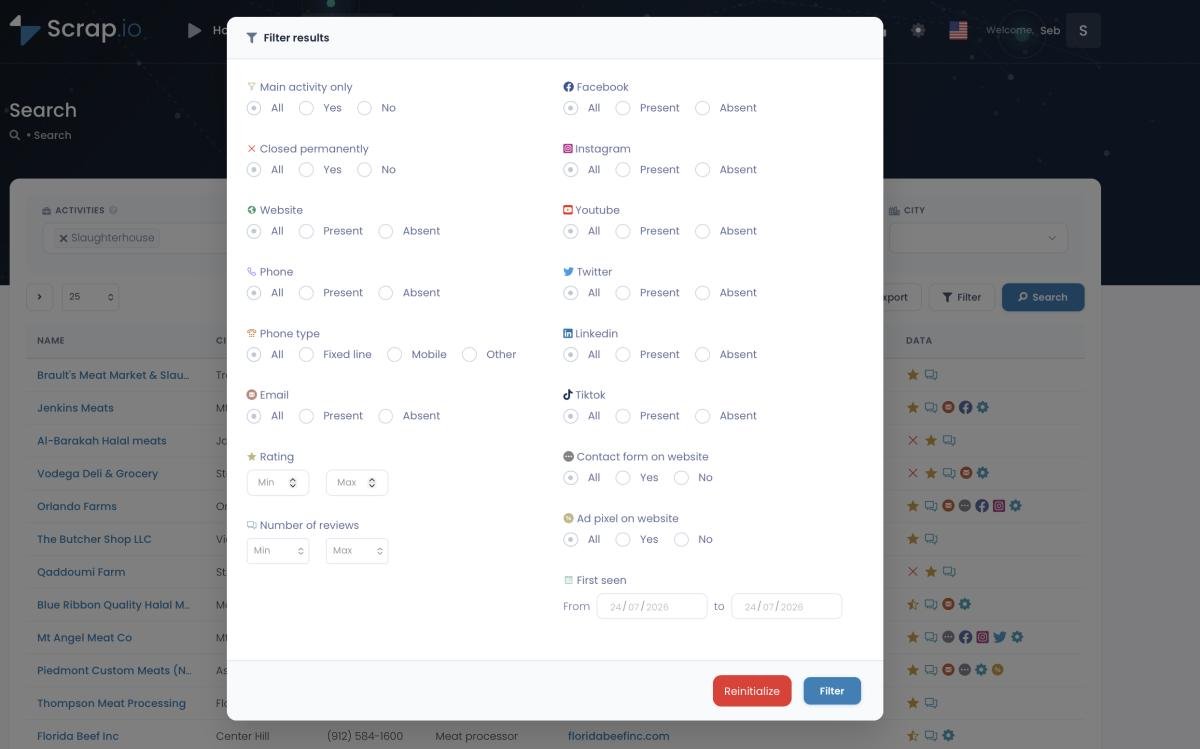
Don't audit listings you can't sell to. Obvious in theory, expensive to ignore in practice. Scrap.io applies filters before a single credit is spent, so you only pull the businesses worth a conversation: no website, under 50 reviews, an email on file. Every other approach makes you extract everything first and sort through the garbage afterward, which means paying for listings you were never going to touch. That's the difference between targeting and hoarding.
Video: Finding Clients Through Google Maps Filters
Why stale data kills an audit's credibility
Send an audit that says "you don't have a website" to a business that launched one three months ago, and you're finished. One wrong line and your credibility is gone, in front of the exact person you were trying to impress. This is why the data layer refreshes at every extraction instead of reading from a frozen database. Real-time data isn't a nice-to-have here. It's the thing standing between "sharp diagnostic" and "embarrassing form letter."
Whole-city, whole-region, whole-country
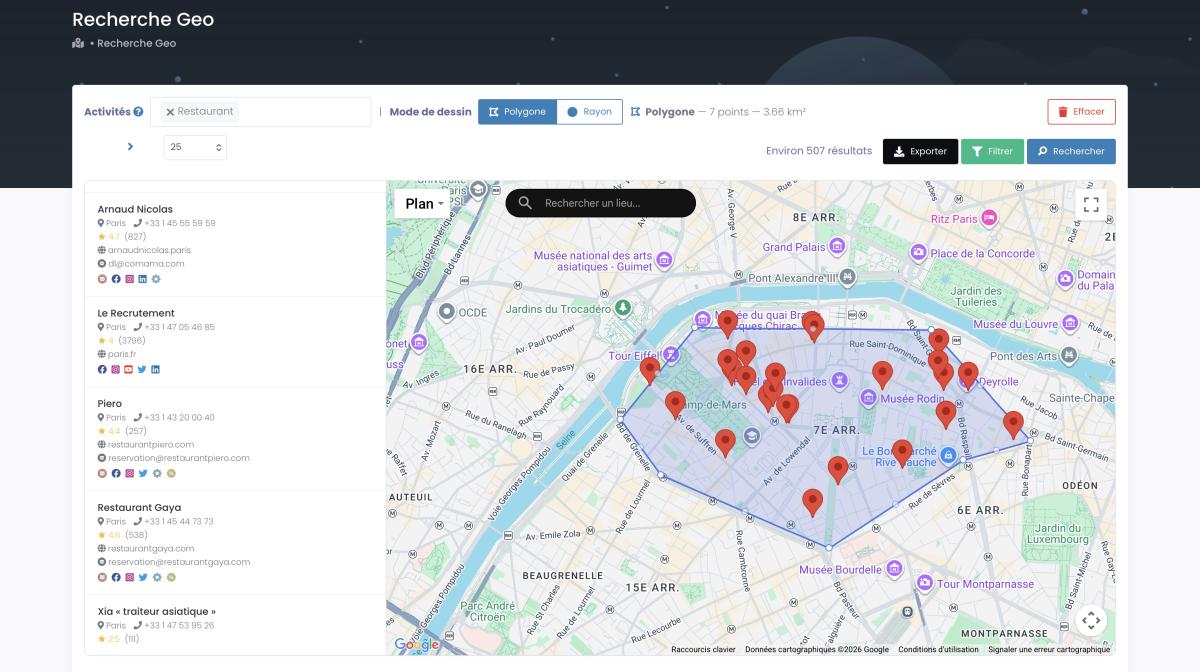
Because you can pull every business in a zone without even specifying a category, "audit before a call" becomes "audit my entire territory, then call." City, county, state, or an entire country, in a couple of clicks. Draw a radius around a target neighborhood, or a polygon around an odd-shaped trade area that ignores city lines. Then run the audit tool over the whole list.

What it costs, and how to price the offer
The reason most agencies never build this: they assume it costs more than it does. Here are the actual numbers, because transparency on price is the one thing every paid competitor carefully avoids.
Cost per audit, honestly
One credit equals one business audited. And the same business only counts once per rolling 30-day window, so re-auditing a listing you already pulled this month costs nothing extra. Plans start at 10,000 credits a month. Do the arithmetic: auditing a mid-sized city's worth of listings runs a fraction of a single client retainer. For context on the alternative, the official route bills per call and stacks up fast; here's what the official API really costs at scale. The average listing generates 59 actions per month (20 website clicks, 16 direction requests, 10 calls) per BrightLocal, which is exactly the "here's what you're leaving on the table" math you put inside the audit itself.
Three ways agencies monetize a branded audit
There's more than one way to make this pay. First, the lead magnet: give the audit away, capture the opt-in, nurture. Second, the paid mini-audit: charge a small fee for a deeper, human-reviewed version, then credit it toward a project. Third, the retainer opener: the audit is the free first meeting that ends in a monthly contract.
People pay real money for exactly this. MyWebAudit sells agencies a white-label audit-report generator on subscription, tagline "website audits that help web agencies close more deals." AuditPitch does the same as a recurring "AI website audit tool for agencies." Both prove the market. Both charge monthly for something this guide hands you for free, on your own code and your own domain.
Sending it: turning an audit into a booked call
You've got 5,000 audit URLs. Now what? This is where most of these builds quietly die, so let's not let that happen.
The one-link-per-prospect pattern
Every prospect gets their own URL. Not a generic tool link. Their audit, about their business, at a link that resolves to their listing. The email says, in effect, "I looked at your Google presence and put the findings here," followed by the link. Curiosity does the rest. It's the difference between "check out this tool" and "I already did the work, come see."
What to write in the email (and what not to)
Short. Specific. One finding, one link, one question. Lead with the single most damning thing the audit found ("your top competitor has four times your review count"), drop the link, ask if they want the fixes. Don't paste the whole audit into the email. Don't pitch SEO. Don't say "Dear Business Owner." The audit is the pitch; the email just gets them to open it. If you want the full copy playbook, here's how to personalize cold emails with audit data.
Compliance: GDPR, CCPA and cold outreach to business data
Bon, the less-fun-but-mandatory part. Google Maps business data is publicly available and traceable to its source, and the data layer used here is GDPR and CCPA compliant, so building and sending the audit itself is legal B2B prospecting. That said, compliance of the outreach stays on you: a clear sender identity, a working opt-out, honest subject lines. The data being clean doesn't make a spammy email legal. Two different obligations. Handle both.
FAQ
What is a Google Business Profile audit?
A Google Business Profile audit is a structured review of a business's Google Maps listing against the factors that drive local ranking and conversion: categories, NAP consistency, reviews, photos, hours, website, and posts. A good one produces a prioritized list of fixes rather than a mystery score. Agencies use audits as a sales asset; owners use them as a to-do list.
Is there a free Google Business Profile audit tool?
Yes, a dozen or so, including Merchynt, LocalHQ and Spokk. They're genuinely useful, but they run on someone else's domain, which means the prospect's data goes to them. The alternative is hosting your own audit page, which costs nothing beyond your data source and keeps the lead on your property.
How much does it cost to run a GBP audit at scale?
With Scrap.io, one credit equals one business audited, and the same business only counts once per rolling 30-day window. Plans start at 10,000 credits per month. Auditing a mid-sized city's worth of listings typically costs a fraction of a single client retainer, which is why the math favors building over renting.
Can I send an unsolicited audit to a local business?
Google Maps business data is publicly available and traceable to its source, and Scrap.io is GDPR and CCPA compliant, so sending an audit is legal B2B prospecting. Your outreach itself still has to comply with local rules: clear sender identity, a working opt-out, and honest subject lines. The two are separate responsibilities.
Take it and ship it
So here's where we landed. Free audit tools work, but they capture leads for whoever hosts them. Build your own and you flip that: the report goes to the prospect, and the lead stays with you. The six dimensions give you a credible audit, the Place-ID-to-n8n architecture makes it buildable in an afternoon, a real data layer makes it accurate enough to send, and honest pricing makes it profitable to run at scale.
One more time, because it's the whole thesis. A score doesn't sell. A recommendation does. And a recommendation on your own domain, in your own brand, is worth more than a hundred generic PDFs you sent someone else's traffic to go fetch.
Everything in this guide, the HTML audit page, the n8n workflow, the test Place ID, is on the resource page. Take it, brand it, ship it.
Generate a list of restaurant with Scrap.io