

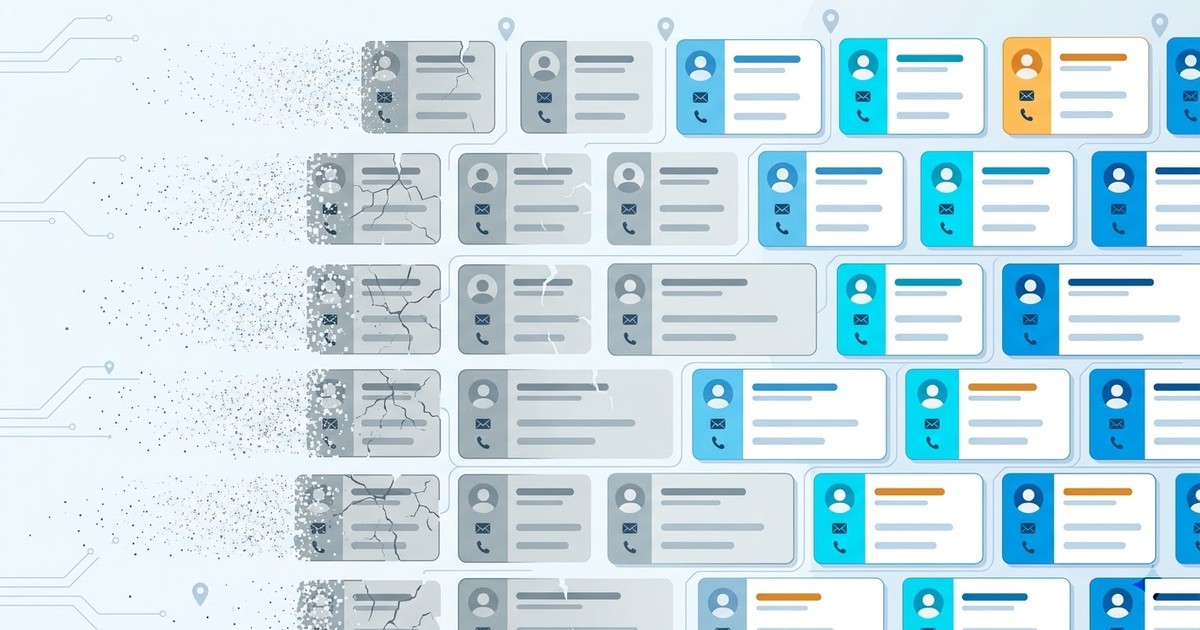
A rep on a team we talked to spent an entire Tuesday calling a list he'd bought in January. By lunch he'd reached three people. Three. The rest? Wrong numbers, "she doesn't work here anymore," and one guy who'd sold the business two years ago. The list wasn't bad when he bought it. It just rotted.
That's the thing nobody warns you about. Your database isn't a thing you own. It's a thing that decays, quietly, every single day, whether you look at it or not.
And before we go further, one quick distinction, because the search results for "data decay" are a mess. There's the storage kind (bits flipping on an old hard drive, "bit rot," the Wikipedia definition) and there's the B2B kind: the slow death of the contact records you sell from. This article is 100% about the second one. If you came here for degrading floppy disks, wrong tab. Everyone else, stick around.
What is data decay?
Your database started rotting the second you built it. Harsh, but true.
Data decay is the gradual loss of accuracy in your contact records over time, as the real-world details behind them (emails, phone numbers, job titles, addresses, whether the business even still exists) change and your database doesn't. In B2B, that decay is fast and it's expensive, because a stale record doesn't announce itself. It sits in your CRM looking exactly like a good one.
This is where people get confused, so let's separate three terms that get thrown around like they mean the same thing. They don't.
Data decay vs data rot vs data degradation
| Term | What it actually means | Example |
|---|---|---|
| Data decay | Valid records that quietly go out of date | A contact who changed jobs last month |
| Data rot | Redundant, obsolete or trivial junk piling up | Duplicate rows, dead fields nobody fills in |
| Data degradation | Systemic corruption of the data itself | Broken imports, garbled characters, mismatched columns |
Source: taxonomy adapted from Cognism's data decay breakdown. Decay is the one that hurts B2B teams most, because the record still looks alive. Rot and degradation you can usually spot. Decay hides.
How fast does B2B data decay?
Here's a number to ruin your quarter: B2B contact data decays somewhere between 22.5% and 70.3% every year. That's not a typo. The low end comes from HubSpot, the high end from a Forbes Business Council piece on the data decay epidemic. Either way you slice it, a big chunk of your database is dying on an annual clock.
But the yearly figure hides the real villain, which is the monthly one. And the decay isn't even across the board. Different fields die at wildly different speeds.
| Field | Decay rate | Why it breaks |
|---|---|---|
| Email addresses | ~3.6%/month, over 43%/year | Job changes, bounces, sender reputation hits |
| Job titles | 25-35%/year | Promotions, role changes, wrong persona |
| Phone numbers | 20-25%/year | Dead lines, disconnected numbers |
| Full departure | Event-driven | Person leaves entirely. The most costly of all |
Sources: Landbase and SMARTe. Email is the assassin here. About 3.6% a month sounds small until you compound it. And people forget to compound it.
Zoom out to the whole contact and it gets worse. Research surfaced by IndustrySelect found that 70.8% of business contacts change in just 12 months. Break that down: 65.8% see a title change, 42.9% a phone change, 41.9% an address change, 37.3% an email change. Read that again. Two-thirds of your contacts shifted job title in a year.
Now stack the compounding on top. A list that's 95% accurate today, losing even 2% a month, is under 80% by the time your annual review rolls around. Nobody sends you a memo when it happens. It just happens. ZeroBounce found email lists decay around 28% a year, with only 62% of addresses still valid after that stretch. Ugly across the board.
What causes data decay?
The real world moves. Your database doesn't. That's the whole cause, in one sentence, but let's break it down because the "why" tells you where to aim.
People change jobs (that's your 65.8% of title changes and a huge slice of email death). Companies merge, rebrand, get acquired. Phone providers recycle numbers. And then there's the local layer that the big data vendors completely miss: businesses that close, move, or open. A restaurant shutters. A dentist relocates two blocks over. A brand-new gym opens and won't show up in any purchased database for months. As Moody's puts it in its piece on data decay, the extent of decay depends heavily on industry, data type, and how often you actually maintain the thing.
Here's the part that should bother you. The static database vendors track corporate contacts, sort of. They do not track the taqueria that just closed, the plumber who moved, or the salon that opened last Tuesday. That local churn is invisible to them. Which is exactly why closed and newly-opened businesses are such a blind spot, and why knowing how to scrape closed businesses matters more than most reps realize. A closed listing in your CRM is a dead call waiting to happen.
The flip side of decay is freshness, and the clearest example of freshness is a business that just opened, before your competitors even know it exists. Same filtering logic, opposite end of the lifecycle.
Video: Find Businesses That JUST Opened (Before Your Competitors Do)
What data decay actually costs you
$3.1 trillion a year.
That's the number.
IBM's estimate, cited by Harvard Business Review, pegs the cost of bad data quality to US businesses at $3.1 trillion annually. Three-point-one trillion, on bounced emails, wrong numbers, and decisions made on rotten records. The figure is old and it still gets cited, because nobody's produced a smaller one.
The per-company version is more useful. Gartner estimates poor data quality costs the average organization somewhere between $12.9 and $15 million a year. And the indirect cost is arguably worse: research from SMARTe and IndustrySelect found sales reps waste around 27.3% of their time on bad data, roughly 546 hours a year, or about $32,000 per rep in salary burned on chasing ghosts. Per rep. Multiply that by your team and try not to wince.
It gets more concrete. Forbes reports that 44% of companies lose more than 10% of annual revenue to poor data quality. There's an old operations principle called the 1-10-100 rule: it costs about $1 to verify a record at entry, $10 to clean it later, and $100 to do nothing and live with the consequences. Roughly a hundred bucks of downstream damage per stale record. Do that math on your database. It stings.
Curious how much of your own list is already dead? You don't have to guess. On Scrap.io, counting how many live businesses match your target (a category, a city, a whole state) is completely free, zero credits spent. Size the gap between what you think you have and what's actually out there. Run a free count on Scrap.io.
Why cleaning your database is a losing game
Cleaning your database is a losing game.
Here's the counterintuitive bit. The thing everyone tells you to do, the big quarterly scrub, is always three months behind the decay.
Think about the timing. You run a big cleanup in March. By the time you've deduped, verified, and re-appended everything, it's April, and April's decay has already started eating into the work you just did. You're mopping the floor while the tap's still running. Periodic cleanup treats decay as an event. It isn't. It's a continuous process, and a quarterly scrub will always lag it.
Then there's the strategy the big vendors actually sell you, which is somehow worse. Their pitch is: enrich your stale database with our database. But their database is also static. You're patching old rot with slightly-less-old rot. That's not a cure. That's decay laundering. This is the exact reason buying email lists rarely works the way the seller promises: the file is aging the moment it lands in your inbox.
And it's not just theory. Reviewers on G2 keep flagging the same thing about static data providers: info that's "sometimes outdated," the wrong number, an email that bounces, a contact who "doesn't work there anymore." As the team at Prospeo puts it, switching tools doesn't fix anything if the real problem is emails that bounce, numbers that are dead, and records that expired. Different logo, same rot.
Video: Stop Paying $20,000/Year for ZoomInfo. This Does More for $49/Month
To be fair, the big players aren't stupid. ZoomInfo maintains something like 500 million contacts and processes over a billion data points a day, and they'll show you case studies (Momentive cutting speed-to-lead from 20 minutes to 60 seconds, Snowflake lifting opportunity engagement) to prove their continuous enrichment works. Cognism tells a similar story with GDPR-compliant CRM enrichment and cases like Openprise and Sparta Global. Fair enough. But notice the shape of the fix: more static data, poured on faster. Nobody's questioning the container. Which brings us to the actual fix.
The real fix: stop storing data, start re-extracting it fresh
Here's the idea the entire industry tiptoes around: the only data that never decays is data you re-collect at the source, the moment you need it.
Read that again, because it flips the whole model. A database is a photograph. It was accurate once, at the instant the shutter clicked, and it's been aging ever since. Re-extraction is a live camera feed. Same subject, completely different reliability. If you pull the record fresh at the moment of use, decay has no time to set in. There's nothing to rot.
That's structurally what Scrap.io does, and it's why it's the opposite of a static list. Instead of selling you a frozen file, it extracts data in real time from Google Maps and the associated website, validated at the moment you export. Google Maps is basically a living registry: owners update their own listings, Google's crawlers keep them current, businesses that close get flagged and businesses that open show up. You're not querying a warehouse. You're querying reality, today.
And there's a money angle that static vendors can't match. On Scrap.io, filters run before extraction, so you spend zero credits on dead records. Want only businesses with a valid email on the website? Toggle it, and you never pay for the empty ones. Compare that to buying 10,000 contacts and discovering 4,000 have no email. That's not prospecting, that's donating money. If email specifically is your game, here's how to find emails on Google Maps and pull a verified USA business email database that was current the second you downloaded it.
Want to see fresh beat stale on your own market? Pick a category and a city, filter to "has email" before you spend a credit, and export a list that's re-scraped live at the moment you hit the button. 225 million businesses, 195 countries, and every line collected today, not last quarter. Try Scrap.io free, 100 leads included.
How to prevent data decay (playbook 2026)
So what do you actually do on Monday morning? Not "buy a better database." Change the model. Here's the playbook, in order.
- Audit decay by field, not in aggregate. Email dies fastest, then titles, then phones. Knowing which field is rotting tells you where to spend effort. An "our data is 80% accurate" number is useless. Break it down.
- Validate at the source, not from a file. Anytime you can re-pull a record from a live source (like Google Maps) instead of trusting a stored copy, do it. Fresh-at-source beats fresh-when-purchased every time.
- Verify emails before you send. Even fresh data deserves a bounce check. Run your list through an email validator close to send time, because addresses can go bad between Monday and Friday.
- Re-extract your key zones on a schedule. Don't clean once a quarter. Re-pull your priority territories regularly so closures and openings surface while they're still actionable.
- Exclude duplicates automatically. Scrap.io can skip contacts you've already exported, so campaigns spread over time don't pile up dupes. Zero doubles, no manual deduping.
- Automate the whole thing. Wire it into your stack via the API, the MCP connector, or Make.com so fresh records flow in without anyone touching a spreadsheet. Here's how to automate CRM enrichment end to end. And clean data protects deliverability too, which is half the battle to avoid landing in spam.
Skip the cleanup treadmill entirely. Instead of scrubbing a list that's already rotting, pull a fresh one whenever you need it. Try Scrap.io free for 7 days, 100 leads included, and see what prospecting from live data actually feels like.
Data decay and compliance
Now the less-fun-but-non-negotiable part. Decay isn't just a revenue problem. It's a compliance one.
GDPR has an accuracy principle baked in: you're expected to keep personal data accurate and up to date. A CRM full of expired records isn't just inefficient, it's a soft compliance risk, because you're processing data you know is wrong. Decay quietly moves you offside.
Re-extraction helps here too, oddly enough. Scrap.io only collects publicly available business information, the same details anyone could see opening a map, and it's GDPR (EU) and CCPA (California) compliant, with every data point traceable back to its source. Public business data, court-tested, kept current at the source rather than aging in a warehouse. That's a cleaner position than sitting on a purchased file of unknown origin that gets less accurate every month.
FAQ
What is data decay?
Data decay is the gradual loss of accuracy in your contact records over time, as real-world details (emails, phone numbers, job titles, addresses, whether a business still exists) change while your stored data stays frozen. In B2B it's fast and costly, because a decayed record still looks valid inside your CRM.
How fast does B2B data decay?
Estimates range from 22.5% to 70.3% per year. Email addresses are the fastest to die, at roughly 3.6% per month (over 43% a year), followed by job titles at 25-35% a year and phone numbers at 20-25%. One study found 70.8% of business contacts change something within 12 months.
What's the difference between data decay, data rot, and data degradation?
Data decay is valid records quietly going out of date. Data rot is redundant, obsolete, or trivial junk piling up (duplicates, dead fields). Data degradation is systemic corruption of the data itself (broken imports, garbled entries). Decay is the sneakiest, because the record still looks alive.
How do you prevent data decay?
Stop relying on a stored file. Validate records at the source, verify emails before sending, re-extract your key territories on a schedule, exclude duplicates, and automate the flow. Real-time sources like Google Maps (via Scrap.io) hand you data collected at the moment of use, so decay has no time to set in.
Does purchased or scraped B2B data decay too?
Yes, purchased data starts decaying the instant it's delivered, because it's a snapshot. The real difference is the source: a static file keeps aging in place, while a live source you can re-query (like Google Maps through Scrap.io) gives you a current record every time you pull it. Same lead, very different shelf life.
The bottom line
Your database is decaying as you read this. Not metaphorically. Emails are bouncing, titles are changing, businesses are closing, and the file you paid for is quietly getting less true by the day. Cleaning it helps for a minute, then the tap keeps running.
The way out isn't a better static list. It's dropping the static model altogether: pull data fresh at the source, filter before you pay, and let decay run out of runway. That's the whole idea, and it's the one thing the database vendors will never sell you, because it's the opposite of what they're selling.
Stop prospecting from last year's data. Start your free 7-day trial, 100 leads on us. Pick your market, filter before you export, and pull a list that's alive the second you download it.
Generate a list of restaurant with Scrap.io