

📋 What's in This Guide
- What Is Email Authentication? (And Why It Matters in 2026)
- SPF vs DKIM vs DMARC: What's the Difference?
- How to Set Up SPF, DKIM & DMARC (Step-by-Step)
- The 2024-2026 Compliance Timeline: Google, Yahoo & Microsoft Requirements
- Real-World Impact: Case Studies & Results
- Troubleshooting: Emails Still Going to Spam?
- Beyond DMARC: BIMI & ARC
- FAQ: SPF, DKIM & DMARC
Okay so listen. Only 18.2% of the top ten million domains have valid DMARC records. Eighteen percent. That's it. Meanwhile the domains that actually bother setting up full SPF, DKIM, and DMARC? They get 2.7x higher inbox placement. Not a little bump. Almost three times more emails landing in actual inboxes.
Wild right?
Most businesses just... don't do it. They skip email authentication completely. And then they wonder why half their cold emails disappear into thin air. I've seen it happen so many times it's almost funny. Almost.
Take this guy Dave I was talking to last month. Runs a B2B software company. Decent size. About eight thousand emails going out every week. One morning he wakes up and his open rates have cratered. Like completely tanked overnight. Gmail's rejecting his stuff. Microsoft too. Turns out Dave never configured SPF. Never touched DKIM. DMARC? He thought that was a clothing brand or something. (Okay I'm exaggerating but you get the idea.)
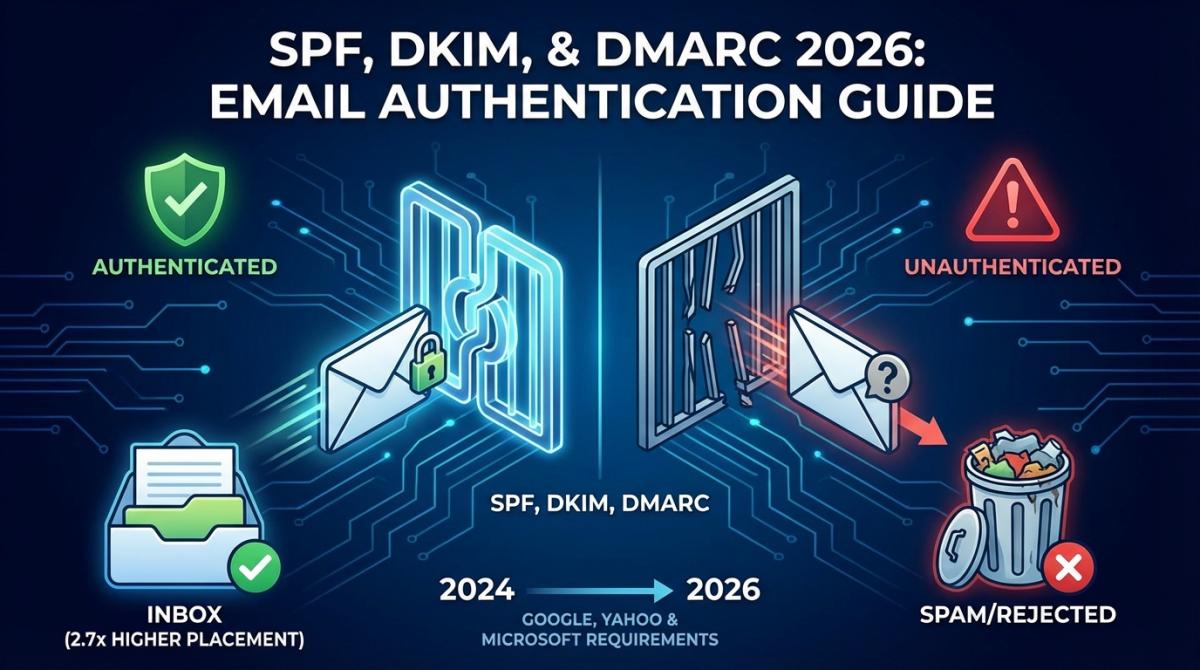
His domain was basically walking around without any ID. And in 2026? That's a problem. A big one. Google, Yahoo, and Microsoft aren't playing nice anymore. They're not just filtering unauthenticated emails into spam. They're rejecting them. Outright. Your message doesn't even get a chance.
So yeah. If you're sending business emails without SPF, DKIM, and DMARC set up properly, you're basically yelling into a pillow. Nobody hears you. (There's a whole separate discipline around how to avoid sending spam emails in your prospecting, but none of it works until your authentication is solid first.)
This guide's gonna fix that. We'll cover what these things actually do, how to set them up without losing your mind, and what happens if you keep ignoring them. Let's go.
What Is Email Authentication? (And Why It Matters in 2026)
Email authentication is a set of DNS-based protocols (SPF, DKIM, and DMARC) that verify a sender's identity and prevent unauthorized people from sending emails pretending to be your domain. Basically it's your domain's ID system. Without it? Anyone can fake being you.
Let me give you an analogy that actually works. Think of email authentication like airport security. SPF is the person at the gate checking your passport against the flight list. Are you supposed to be here? Cool, go ahead. DKIM is that tamper-proof tag on your checked bag. Has anyone messed with this since you packed it? And DMARC is the actual security policy. What do we do when someone fails the check? Let them through anyway? Send them to secondary screening? Kick them out entirely?
Makes a lot more sense when you think about it that way.
Now here's why this matters way more in 2026 than it used to. The numbers are pretty rough. Global inbox placement sits at around 83% on average according to EmailToolTester, and it's wildly uneven by mailbox: North America runs closer to 87.9%, Gmail lands about 87.2% of authenticated mail, while Outlook drags behind at roughly 75.6%. Read that Outlook number again. One in four emails to Microsoft inboxes goes missing even when you're doing things right. If your business sends a few thousand emails per month that's hundreds of conversations that never happen. Deals you'll never close. Money you'll never see.
Good news though. People are catching on. DMARC adoption climbed from 27.2% in 2023 to 47.7% in 2025, and hit 52.1% in 2026 across the 1.8 million domains tracked in the EasyDMARC 2026 Adoption Report. So we finally crossed the halfway line. The authentication itself is holding up too: that same report clocked a DMARC pass rate of 88.99% in Q1 2026, with SPF at 80.24% and DKIM at 90.90%. The smart companies figured this out early. They're already crushing it. Everyone else? Still wondering why their email campaigns feel like throwing pennies into a wishing well.
One catch, and it's a big one. Publishing a DMARC record is not the same as enforcing it. Roughly half the domains that adopt DMARC park it at p=none and never move. Only a tiny slice, about 2.5% per EasyDMARC's 2026 numbers, actually run p=reject, the one policy that truly blocks spoofed mail at the door. So yes, adoption is up. Real protection is still rare. Don't be a statistic.
SPF vs DKIM vs DMARC: What's the Difference?
People confuse these three all the time. Can't blame them honestly. The acronyms alone are enough to make your eyes glaze over. But they do very different things. Let me break it down.
| 🟢 SPF | 🟡 DKIM | 🔴 DMARC | |
|---|---|---|---|
| What It Does | Authorizes which mail servers can send emails for your domain | Adds a cryptographic signature to verify the email hasn't been tampered with | Sets policy for handling emails that fail SPF or DKIM checks |
| How It Works | DNS TXT record listing authorized sending IPs | Public/private key pair: private key signs outgoing emails, public key in DNS verifies them | DNS TXT record defining policy (none/quarantine/reject) + alignment rules + reporting |
| Key Limitation | Breaks when emails are forwarded; limited to 10 DNS lookups | Doesn't tell receiving servers what to do with failures | Only works when SPF or DKIM is already in place |
| Protects Against | Unauthorized servers sending as your domain | Message tampering in transit | Email spoofing and phishing using your domain |
"Do I really need all three though?" Yeah I hear this one constantly. Short answer: yes. Not optional. Here's the deal.
SPF by itself tells mail servers which IPs can send your emails. Fine. But it can't verify what's inside the message. And the second someone forwards your email it breaks. Just like that. Useless.
DKIM by itself puts a cryptographic stamp on your messages. Also fine. But what happens when the stamp doesn't match? Nobody knows because DKIM doesn't tell the receiving server what to do about it.
DMARC is the piece that ties the whole thing together. It checks whether SPF and DKIM results actually line up with your domain. Then it enforces whatever policy you set. Monitor. Quarantine. Reject.
Does DMARC use SPF and DKIM? Yes, and that's the whole point. DMARC doesn't run its own check. It sits on top of SPF and DKIM, verifies that at least one of them passes and aligns with the domain in your From address, then applies your policy. No SPF or DKIM underneath means DMARC has nothing to enforce. It's the referee, not the players.
Here's how I think about it. SPF without the other two is like having a guest list at your party but no bouncer at the door. DKIM alone is like stamping everyone's hand but never checking the stamps. You need all three pillars of email authentication working at the same time. That's when things actually click. Notice this is a native HTML table, by the way, not a screenshot. That's deliberate, because a proper spf dkim dmarc record comparison is exactly the kind of thing Google loves to pull into a featured snippet.
How to Set Up SPF, DKIM & DMARC (Step-by-Step)
Alright here we go. This is where most guides on the internet turn into a nightmare of technical jargon. I'm not doing that. Five steps. Actual DNS examples you can copy-paste. Super simple. Let's do this.
Video: Why Your Google Maps Emails Don't Get Replies?
Step 1: Identify All Your Authorized Senders
Before you mess with any DNS records you gotta figure out who's actually sending emails from your domain. And I mean everybody. Not just your email provider: Google Workspace, Microsoft 365, whatever you use. But also your CRM. Your marketing automation tool. Your transactional email thing. That weird app someone on the sales team signed up for three months ago that nobody told IT about.
Seriously. Make a list. Ask around. You'll be surprised how many random services are firing off emails with your domain name on them.
And while you're auditing who you send through, it's worth being just as picky about who you send to. Fresh, verified contacts beat a stale spreadsheet every time.
💡 Before you configure a single DNS record, know who you're actually writing to. Scrap.io pulls fresh B2B contacts straight from Google Maps in real time: 225M+ businesses across 195 countries, with a filter that keeps only listings that actually have an email before you spend a credit. Start free for 7 days, 100 leads included.

Step 2: Create Your SPF Record
SPF is a TXT record in your DNS. That's it. It tells the world which servers are allowed to send emails on your behalf. Here's what one looks like if you're using Google Workspace:
v=spf1 include:_spf.google.com ~all
On Microsoft 365 instead? Your record looks like this (this is the exact one Google's AI Overview keeps surfacing, so it's worth getting right):
v=spf1 include:spf.protection.outlook.com ~all
Also using Mailchimp? Throw their include in there too:
v=spf1 include:_spf.google.com include:servers.mcsv.net ~all
Now here's the part that trips everyone up. SPF has a 10 DNS lookup limit. Every include and redirect in your record counts toward that number. Go over ten and the whole thing breaks. Completely. I've seen companies add a fifth or sixth sending service without realizing they just blew past the limit. MXToolbox checks this instantly. Use it.
Step 3: Configure DKIM Signing
DKIM's a tiny bit more complicated. But honestly not that bad. Your email provider creates a pair of cryptographic keys. The private one stays on their servers. The public one goes into your DNS so receiving servers can check the signature.
Google Workspace setup: Head to Admin Console → Apps → Google Workspace → Gmail → Authenticate Email. They give you a CNAME or TXT record to drop into your DNS. Looks something like:
google._domainkey.yourdomain.com pointing at a Google-generated value
Microsoft 365 setup: Go to Microsoft Defender → Email & Collaboration → Policies → Threat Policies → Email Authentication Settings. You'll get two CNAME records. Publish both.
Here's the annoying part. Every single sending service needs its own DKIM config. Your CRM? Separate setup. Marketing platform? Separate setup. It's tedious but you only do it once.
Step 4: Publish Your DMARC Record
This is where it all comes together. DMARC takes your SPF and DKIM results and says "okay now what do we actually do about it?"
Don't start with a strict policy. I know it's tempting. But you'll accidentally block your own legitimate emails and then everyone in the office will be very unhappy with you. Start in monitoring mode:
v=DMARC1; p=none; rua=mailto:[email protected]; pct=100
That p=none is key. You're just watching. Collecting data. Seeing who's sending emails as your domain and whether they pass authentication. After a couple weeks of monitoring you can tighten up.
The progression goes like this. p=none means monitoring only. Nothing gets blocked. p=quarantine means failing emails land in spam. p=reject means failing emails get stopped cold. They never arrive anywhere. That's the none vs quarantine vs reject question everyone Googles, answered in one line.
You want to get to p=reject eventually. That's full protection. And remember, only about 2.5% of domains actually get there, so it's also where you leave the crowd behind. But take your time. Rushing it is how you block your own sales team's emails. Not fun.
Step 5: Test and Verify Everything
Don't just publish your records and cross your fingers. That's not a strategy.
Run your domain through MXToolbox. Use Google Admin Toolbox. Try dmarcian or learndmarc.com. Send test emails and actually look at the headers. You're looking for spf=pass, dkim=pass, and dmarc=pass in the results.
One thing. DNS changes take up to 48 hours to show up everywhere. So don't freak out if your records don't appear right away. Just wait.
The 2024-2026 Compliance Timeline: Google, Yahoo & Microsoft Requirements
Okay so this is where stuff got real. Like really real. Let me walk through what happened because if you missed it you're probably already feeling the effects.
February 2024. Google and Yahoo basically said: if you send more than five thousand emails a day, you need SPF, DKIM, and DMARC. Period. Plus a one-click unsubscribe button. Plus keep your spam rate under 0.3%. Not a suggestion. A requirement. Miss it and your emails get bounced.
May 2025. Microsoft finally joined in. Outlook, Hotmail, Live.com. All of them. Domains without proper email authentication get hit with error code 550 5.7.15. Immediate rejection. No warning period. No grace.
November 2025. Google cranked things up even more. Emails from bulk senders that fail authentication now get permanent rejections. Not temporary "try again later" bounces. Permanent. Done. Your email server won't even retry.
See where this is heading? By late 2026 DMARC enforcement will probably be required across the board. Not just for high-volume senders. For everyone.
And here's a number that should bother you: 57.3% of B2B senders already authenticate their emails according to Email Vendor Selection. If you're not doing it, you're in the shrinking minority. The minority that can't figure out why their campaigns stopped working.
Quick note before we go further. This section is deliberately short, because the compliance side deserves its own deep dive. If you're a decision-maker trying to map out exactly what Gmail, Yahoo, and Microsoft demand from B2B senders (deadlines, thresholds, the whole checklist) read our full email authentication compliance guide. This article is the setup manual. That one is the requirements manual. Different jobs.
Real-World Impact: Case Studies & Results
Theory's great and all. But what actually happens when companies do this? Let me show you some real stuff.
PayPal was crazy early on DMARC. Like 2012 early. According to DMARC.org they saw a huge drop in phishing attacks after implementing it. Makes sense right? When you're handling billions in payments you can't have random people pretending to be you. They basically wrote the playbook that everyone else copied.
Uber, Major League Baseball, and Nestlé (yeah, that Nestlé) all rolled out Valimail Enforce on Microsoft 365. Results? Less email fraud. Better deliverability. And these aren't small operations with simple setups. Multiple countries. Multiple departments. Dozens of sending tools. If they can make it work then honestly so can you.
Managed service providers got in on it too. Systemgemisch and CloudIntellect both went with PowerDMARC to manage email security across their client portfolios. When you're juggling dozens of client domains you need centralized monitoring. It's not optional. Both improved deliverability for their clients while cutting security overhead.
Even smaller organizations. Newman University and Harmony Designs deployed EasyDMARC. Better security. Better deliverability. You don't need to be some Fortune 500 giant to see the benefits. Although if you are one, the club's getting crowded: EasyDMARC's 2026 Adoption Report found 95% of the Fortune 500 now run DMARC, with over 80% of them actively enforcing.
The numbers? Valimail reports an average 10% deliverability boost after DMARC enforcement. Validity found a 50% reduction in email delivery failures. That's not some tiny improvement you need a magnifying glass to spot. That's serious.
Oh and the DMARC software market? Growing from $375 million to $890 million by 2032. CAGR of 11.7%. That tells you where the entire industry is going.
📌 Test your shiny new sender reputation on contacts that actually exist. Grab 100 free verified B2B leads on Scrap.io. Real-time data pulled from Google Maps, not a list someone compiled in 2019. Because the best DMARC record on earth won't help if you're emailing dead addresses.
Want to reach actual humans at actual businesses without bouncing off dead inboxes? Once your authentication is locked in, you can even check out cold email tools that actually work to automate things without trashing your sender reputation.
Troubleshooting: Emails Still Going to Spam?
So you did everything right. SPF is set up. DKIM configured. DMARC published. Headers say "pass" across the board. But your emails are still landing in spam.
What gives?
This is honestly the most annoying thing in email. And it shows up on Reddit constantly. Head over to r/sysadmin and you'll find threads like "Decent DMARC / SPF / DKIM setup for a small-ish company" where admins argue for pages about alignment and lookup limits. Over on r/Office365, the "Correct setup of SPF, DMARC, and DKIM?" thread is a graveyard of people who passed every check and still got junked. And r/Emailmarketing has a whole "Really need help with enabling DMARC" saga that ends the way most of them do: the records were fine, the reputation wasn't.
Video: How to Identify Spam Emails: A Guide to Avoid Sending Them in Your Prospecting Campaigns
Here's what 88% of senders don't understand according to Mailgun: authentication passing does not equal inbox placement. It's the bare minimum. The starting line. Not the finish line. There's a whole other layer above it: sender reputation, how people interact with your emails, content quality, all of that.
Let me run through what's probably going wrong.
Nobody's opening your stuff. Gmail and Microsoft track engagement. If people keep ignoring your emails or worse, marking them as spam, your sender reputation drops. Doesn't matter if SPF, DKIM, and DMARC all pass perfectly. Low engagement signals tell inbox providers that nobody wants to hear from you. Harsh but true.
You blew past the SPF 10 lookup limit. This one's sneaky because it fails quietly. You add some new marketing tool, update your SPF record, and boom. You're at eleven lookups and the whole record is now invalid. Check it regularly with MXToolbox. If you're over ten you need to flatten things or drop a sending service.
DKIM keys are expired. Keys need rotation. If yours expired and nobody generated fresh ones then DKIM just silently stops working. Most email providers handle this automatically but third-party tools? Not always.
Alignment is wrong. There's this thing about relaxed versus strict DMARC alignment. In strict mode your From domain has to exactly match your SPF and DKIM domains. Exactly. Subdomains don't count. So if your marketing team sends from marketing.yourdomain.com but DMARC checks against yourdomain.com in strict mode? Fail. Relaxed mode allows subdomain matching. That's what most people should be using.
Your email list is trash. I mean this in the nicest way possible. High bounce rates absolutely destroy sender reputation. Like nothing else can. And this is the part people skip: passing authentication does nothing for a dead list. If you're not sure why half your sends bounce, here's the difference between a soft bounce vs hard bounce: one you can wait out, the other you remove today. The fix? Verify your email lists for 95%+ deliverability before hitting send. Every single time. No exceptions. And if you're firing from a brand-new domain, don't skip the ramp. Decent email warmup tools keep a fresh domain from looking like a spam operation on day one.
And get this: 48% of senders say "avoiding spam" is their number one challenge according to Mailgun. So at least you're not alone in this mess.
Most of the time the fix is upstream. Clean the list at the source and you kill the bounce problem before it ever touches your reputation. With Scrap.io you filter before extraction: export only Google Maps listings that already have an email present, classified as individual, contact, sales, or marketing. Clean list in, fewer bounces out.

Beyond DMARC: BIMI & ARC
Okay so SPF, DKIM, DMARC, all working great. What else is out there? Two newer email authentication protocols worth keeping on your radar.
BIMI stands for Brand Indicators for Message Identification. And it's actually pretty cool. It puts your company logo right next to your emails in the inbox. Gmail supports it. Apple Mail supports it. Yahoo too. When someone sees your actual logo instead of a boring default avatar? More trust. More opens. More brand recognition.
Catch is, you need DMARC at p=quarantine or p=reject first. No shortcut there. Can't skip the homework and jump to the fancy logo. You also need a Verified Mark Certificate from a certified authority which costs money. But for companies that care about brand presence? Totally worth it.
ARC is Authenticated Received Chain. More of a behind-the-scenes thing. You know how SPF breaks whenever an email gets forwarded? ARC fixes that. It keeps a record of authentication results at each hop in the forwarding chain so downstream servers can still verify things.
The good news is you don't really need to configure ARC yourself. Google and Microsoft handle it automatically on their end. But knowing it exists helps explain why some forwarded emails land fine and others don't.
Both are moving from "optional nice thing" to "just do it already" territory pretty fast. If you've already got full DMARC enforcement running you're in great shape to adopt them. Same goes for warming: once your DNS is solid, a gradual ramp with proper warmup is the finishing touch, not a replacement for authentication.
FAQ: SPF, DKIM & DMARC
What is SPF, DKIM, and DMARC?
SPF stands for Sender Policy Framework. It's a DNS record that authorizes specific mail servers to send emails for your domain. DKIM is DomainKeys Identified Mail. It slaps a cryptographic signature on your messages so receiving servers can verify nothing got changed in transit. DMARC is Domain-based Message Authentication Reporting and Conformance. Big name. But basically it sets the rules for what happens when SPF or DKIM fails, and sends you reports about it. You need all three email authentication protocols together to actually prevent spoofing and protect your domain reputation.
Do I need both DKIM and DMARC?
Yes. Always. DKIM on its own can verify a message is legit but it doesn't tell anyone what to do when verification fails. Without DMARC there's no enforcement. No policy. Receiving servers just shrug and do whatever they want. Best practice is running all three: SPF, DKIM, and DMARC. That's how you get the full 2.7x inbox placement boost.
Is DMARC becoming mandatory?
Pretty much yeah. Google and Yahoo made it required for bulk senders back in February 2024. Microsoft started enforcing in May 2025, straight up rejecting emails without it. Everything points to universal DMARC requirements by late 2026 regardless of how many emails you send. If you haven't set it up yet you're already behind the curve. Here's a full email authentication compliance guide with all the details.
How do I set up SPF, DKIM & DMARC for my domain?
Five steps. Covered them all in the setup section above but quick version: figure out every service sending emails as your domain, create your SPF DNS record, configure DKIM through each email provider, publish a DMARC record starting with p=none for monitoring, then test everything with MXToolbox or Google Admin Toolbox. Give yourself two to four weeks of monitoring before switching to enforcement.
How do I check if SPF, DKIM and DMARC are enabled?
Quickest manual check: send a test email to a Gmail account, open it, click the three dots and hit "Show original." You want three green lines, spf=pass, dkim=pass, and dmarc=pass. All three passing means your setup is live. Prefer a tool? Run your domain through one of these:
- MXToolbox checks your SPF, DKIM and DMARC records in one shot.
- learndmarc.com walks you through the whole authentication flow visually.
- dmarcian inspects your DMARC policy and alignment.
If any of the three comes back missing or shows fail, fix it before your next campaign. No exceptions.
Why are my emails going to spam even though SPF, DKIM and DMARC pass?
Because authentication is the floor, not the ceiling. Passing SPF, DKIM and DMARC only proves you are who you say you are. It says nothing about whether people want your emails. Sender reputation, engagement, content quality and a clean list decide inbox placement. A perfectly authenticated domain with a stale list and low opens still lands in spam.
What is a DMARC policy: none vs quarantine vs reject?
Three levels. p=none is monitoring mode: you get reports but nothing gets blocked. p=quarantine sends failing emails to spam. p=reject blocks them completely, so they never reach anyone's inbox. Start with none. Watch the data. Move to quarantine when you're comfortable. Then reject when you're sure all your legit senders are authenticated. And here's some motivation to get to reject eventually: the FBI's IC3 has pegged business email compromise at over $55 billion in exposed losses. BEC is massive. Having p=reject is how you keep your domain out of that mess.
Conclusion
Look. Nobody's gonna give you a trophy for publishing some DNS records. It's not glamorous work. But in 2026 it's the difference between your emails actually reaching inboxes and your emails disappearing into nothing.
And honestly? The setup isn't even that hard. Five steps. A handful of DNS records. Some monitoring. Done. The payoff though: way better deliverability, actual domain protection, compliance with Gmail and Microsoft and Yahoo. Not bad for an afternoon of work.
Solo founder firing off fifty emails a week? Company blasting out thousands every day? Same fundamentals either way. SPF handles authorization. DKIM handles signatures. DMARC handles policy. All three together. Non-negotiable.
Once your domain's authenticated properly? That's when you focus on what actually moves the needle: getting in front of the right people. If you're doing cold outreach and wondering about the legal side of things, here's a clear breakdown of whether cold emailing is illegal. Spoiler: it's not. When done right anyway. And for scaling your outreach without sacrificing quality, AI cold email personalization is pretty game-changing.
New to Scrap.io? Here's the two-minute version of how it works:
Video: Scrap.io - How to Start?
🚀 Try Scrap.io free for 7 days and grab 100 verified B2B leads to put that shiny new email authentication to actual use. Real-time data from Google Maps, 225M+ businesses across 195 countries, filtered so you only export contacts that have an email. Start your free trial now.
Because a perfectly authenticated domain sending emails to dead addresses is still a waste of everyone's time. Fresh data plus solid authentication? That's the combo.
Now stop reading and go fix your DNS records. Your emails will thank you for it.
Generate a list of restaurant with Scrap.io