

Fifteen to forty percent. That's the share of a cold campaign that can bounce when you send to unverified emails (LeadBomb / Instantly, 2026). Read that again. You can do everything right, write the perfect subject line, nail the offer, and still torch your sender reputation because a third of your list never existed in the first place.
So when someone asks me for the best linkedin email finder, my first question isn't "which tool." It's "which emails actually land." Because a tool that finds an address and a tool that finds a deliverable address are two very different things. Most guides skip that part. We won't.
Here's what this one covers: how these finders actually pull an email off a profile, the 7 tools worth your time in 2026 (with real bounce and accuracy numbers, not landing-page fluff), the free-versus-paid math, the compliance stuff nobody reads until they get burned, and the one category of business every LinkedIn finder is completely blind to. Grab a coffee. This is the honest version.
- Why LinkedIn Doesn't Show Emails
- How LinkedIn Email Finders Work (Database, Pattern, Waterfall)
- The 7 Best LinkedIn Email Finders in 2026 (Compared)
- Free vs Paid: What You Actually Get
- Accuracy & Bounce Rates: Claimed vs Real
- The Local-Business Alternative Nobody Talks About
- Is Using a LinkedIn Email Finder Legal?
- How to Choose the Right One
- FAQ
- Conclusion
Why LinkedIn Doesn't Show Emails
Can I find an email address using LinkedIn directly? Barely. Ever tried to just grab someone's email straight off their profile? Good luck.
LinkedIn hides email addresses by default. Only your 1st-degree connections who've opted in will show you their address, and even then it's buried under "Contact info." For everyone else, the 2nd and 3rd degrees who make up the bulk of any prospect list, you get nothing. That's not a bug. It's the entire point. LinkedIn's business depends on keeping you inside LinkedIn, paying for InMail and Sales Navigator, not exporting contacts to your own cold email tool.
And the market has voted with its wallet. Roughly 74% of B2B teams now use at least one email finder to get around this wall (DataIntelo, 2026). The email finder tools market itself sits near $1.8 billion in 2025 and is projected to reach $4.7 billion by 2034, an 11.2% compound growth rate (DataIntelo, 2026). Zoom out to the wider sales intelligence category and it's even bigger: $4.99 billion in 2026, heading to $9.15 billion by 2031 at a 12.89% CAGR (Mordor Intelligence, 2026). Translation? A lot of people are trying to solve the exact problem you're staring at. And the payoff is real: email still returns about $36 for every $1 spent (SQ Magazine, 2026), which is exactly why it's worth doing right instead of fast.
The workaround is a third-party tool that takes what LinkedIn does show, a name and a current employer, and figures out the work email from there. To get an email from a LinkedIn profile URL, you hand that URL to a finder and it does the rest. How it does that is where things get interesting.
How LinkedIn Email Finders Work (Database, Pattern, Waterfall)
Here's the short version, and it's worth understanding before you spend a cent. Here's how to find someone's email from LinkedIn without guessing at it. To find email from linkedin, a tool reads the public profile to grab your target's name and company, then runs one of three methods to produce the actual address: a database match against contacts it already holds, pattern matching that guesses the format from the company domain, or waterfall enrichment that chains several providers until one returns a verified hit. Fiability climbs as you move from guessing to verifying.
Let's break those down, because the method decides your bounce rate.
Database match
The tool already has a big pile of contacts. It looks up your person, and if they're in there, out comes an email. Fast. But the data is only as fresh as the last time it was collected, and people change jobs constantly. A stale database is exactly how you end up emailing someone who left the company eight months ago.
Pattern matching (the risky one)
No record on file? The tool guesses. It detects the company's format, say [email protected], and constructs the most likely address. Cheap, scalable, and the single biggest source of bounces. A guess is a guess. If the company uses f.lastname@ or a nickname, you're mailing a ghost.
Waterfall enrichment
The premium approach. Provider A misses, provider B steps in, then C, until something comes back and, crucially, gets verified live against the mail server before you ever see it. This is what a linkedin email extractor built for deliverability does, and it's why the good tools quote a "verified" rate separate from a "found" rate. Those two numbers are not the same, and the gap between them is your whole problem.
Keep that framework in your head. When a tool brags about a 95% success rate, always ask: found, or verified and safe to send?
The 7 Best LinkedIn Email Finders in 2026 (Compared)
I'll be blunt about the shortlist: three of these are genuinely excellent, three are situational (great for one job, mediocre at others), and one is a niche pick you'd only reach for in a specific case. No tool here is bad. But "not bad" and "right for you" aren't the same thing.
Video: Scrap.io vs Apollo
Here's the comparison at a glance. Then the notes that the table can't hold.
| Tool | Method | Free tier | Starting price | Claimed accuracy | Best for |
|---|---|---|---|---|---|
| Skrapp | Database + pattern (Chrome extension) | 50 emails/mo | $49/mo (1,000) | 97% verification, 92% search | LinkedIn + Sales Navigator prospecting |
| Anymail Finder | Waterfall + live verify | 100 credits | $29/mo | 98.9% verified (pay only for verified) | Deliverability-first outreach |
| GetProspect | Database (780M) + extension | 50 emails/mo | $49/mo (1,000) | 98% claimed | Bulk list building + CRM sync |
| Mailmeteor Finder | Pattern + SMTP verify (web) | Free, no signup | Free tool | 90%+ on current roles | One-off lookups by URL |
| Wiza | Sales Navigator bulk export | Free trial credits | Credit-based | Not publicly benchmarked | Exporting whole Sales Nav searches |
| Apollo.io | Database (275M contacts) | Free plan | From ~$49/mo | ~65% real accuracy (SalesForge) | All-in-one platform users |
| Hunter.io | Domain crawl + verify | 25 searches/mo | $49/mo | 94–95% on verified | Domain-first, not LinkedIn-native |
The three excellent ones
Skrapp is the default LinkedIn play. Install the linkedin email finder chrome extension, open a profile or a Sales Navigator search, click, done. It quotes 97% verification accuracy and a 92% search success rate, processes up to 1,000 profiles a minute in bulk, and enriches every hit with role and seniority. Solid if your prospects live on LinkedIn. (More on the gap between "found" and "delivered" in the accuracy section. Spoiler: it matters.)
Anymail Finder takes the deliverability-first stance I respect most. Paste a profile URL, it runs waterfall enrichment and verifies the address live before showing it to you, and here's the kicker: if it can't verify, that result is free. You pay for safe-to-send, not attempts. They publish a public benchmark of 14 tools on 5,000 contacts, which is more transparency than most of this industry offers. Free tier is 100 credits.
GetProspect wins on database breadth: 780 million B2B contacts, a linkedin email finder extension that exports up to 2,500 leads from a single Sales Navigator search, and native syncs to HubSpot, Salesforce, and Pipedrive. It claims 98% accuracy and gives 50 free emails a month for life. As a bulk linkedin email finder it's tough to beat, and there's a linkedin email finder api plus a Google Sheets add-on for the automation crowd. If you're building lists in bulk and pushing them into a CRM, this is the workhorse.
The three situational ones
Mailmeteor's LinkedIn Email Finder is a free web tool: paste a profile URL, get a verified address, no signup, no extension. It ranks #1 for our target keyword and it's genuinely handy. But it's one profile at a time. For a quick check on a single high-value lead, perfect. For a campaign, you'll age a decade.
Wiza shines at one specific job, turning an entire Sales Navigator search into an exported list of emails and phones. If your whole workflow lives in Sales Nav, it's smooth. Outside that context, it's not the tool.
Apollo.io is the all-in-one everyone knows. 275 million contacts, sequencing, a CRM, the works. The catch is data quality: independent testing from SalesForge, across 1,000+ Apollo users, pegged its global accuracy near 65%, with Apollo-sourced lists generating 15–25% bounce rates. Great platform, aging data. If you already pay for it, use it. If you're picking a finder purely for clean LinkedIn emails, look harder. We break down the best Apollo.io alternatives in detail if that's where you've landed.
The niche pick
Hunter.io is excellent, but it's domain-first, not LinkedIn-first. You feed it a company domain, it returns the email patterns. To use it from LinkedIn you have to grab the company, find the domain, then search. It's a detour. Reach for it when you already know the company and want a clean pattern, not when you're working profile by profile. For the local-business case it whiffs entirely, which is why we wrote a whole Hunter.io alternative for local leads piece.
Video: Skrapp.io vs Scrap.io
Free vs Paid: What You Actually Get
Everybody wants a free linkedin email finder. Fair. So let's be honest about where free ends.
Free tiers are real and useful: Skrapp gives 50 verified emails a month, GetProspect 50, Anymail Finder 100 credits, Hunter 25 searches, and Mailmeteor's URL tool is genuinely free for one-off lookups. Enough to test a tool. Enough to grab a handful of contacts before an important pitch. Not enough to run a campaign.
Here's the trap nobody mentions. Some free tools charge you a credit per attempt, whether or not they find anything. So your 50 "free" lookups might return 30 emails, and of those maybe 20 are actually deliverable. You burned the tier and you're building on a catch-all domain that'll bounce later and drag your sender score down with it. Searches for a linkedin email finder free download, a linkedin email finder chrome extension free, or a linkedin email finder online free all lead to the same trap: a browser extension that promises unlimited free pulls usually means unverified pulls. And unverified is where the 15–40% bounce lives.
My rule of thumb: use free tiers to evaluate, never to operate. When you go paid, the real number to compare isn't price per month. It's cost per usable email after you strip out the bounces. On that math, a tool that only charges you for verified results (like Anymail Finder) often beats a "cheaper" one that bills every guess. If you want the full playbook on assembling a clean list end to end, we wrote one on how to build a cold email list.
Accuracy & Bounce Rates: Claimed vs Real
Time for the uncomfortable part. In one 2026 benchmark, only 6 of 13 tested tools delivered at least 20 verified emails out of 25 (Findymail, 2026). Fewer than half cleared a bar that sounds trivial. Let that sink in before you trust a landing page.
Because the landing pages all say the same thing. "95% accuracy." "98% deliverability." Meanwhile, independent testing puts real accuracy in the 65–95% range against the 90–98% advertised (Instantly / Anymail Finder, 2026). The word doing all the damage is "accuracy," because vendors quietly define it as "found," not "verified and it won't bounce." Those are different universes.
Why does the gap matter so much? Bounce rate. The industry line in the sand is 2%. Cross it and Gmail, Outlook, and Yahoo start treating you like a spammer and routing your legit mail to junk. Average cold email bounce already sits around 7–8%, while the top senders keep it under 2% (Martal / LeadHaste, 2026). Now feed those senders unverified emails and watch the bounce climb to 15–40% (LeadBomb / Instantly, 2026). One bad batch and you're spending the next few weeks rebuilding a reputation you torched in an afternoon.
Reviewers say the quiet part out loud, too. On G2, "inaccurate data" ranks as one of the most common complaints against the big database players, and independent testers routinely report that a claimed 92% search rate translates to a verified-and-deliverable rate closer to 43% once you actually check. Community threads back it up: teams pulling Sales Navigator lists in bulk report bounce variance swinging anywhere from 25% to 80% batch to batch (SmartReach / EmailAnalytics, 2026). So the most accurate LinkedIn email finder in 2026 isn't the one with the boldest landing-page claim, it's the one whose verified rate survives someone else checking. The lesson isn't "these tools are scams." It's this: verify before you send, every time. Run whatever your finder gives you through a validator, and treat catch-all results as "maybe," not "yes." Here's exactly how to verify an email address without sending an email.
Tired of paying for emails that bounce? Scrap.io lets you toggle a "has email" filter before a single credit is spent, so you only extract contacts that actually have an address to reach. Real-time data pulled at export, not a frozen database. Free trial, 100 leads offered.
The Local-Business Alternative Nobody Talks About
Meet Maria. She runs a small web agency, and her clients are plumbers, dentists, HVAC guys, the neighborhood restaurant with the 4.6 rating. One Monday she fired up her shiny LinkedIn email finder to build a prospect list of local businesses, and got... almost nothing. Because the plumber down the street isn't on LinkedIn. Neither is the dentist. Or the salon. Or 90% of the local economy.
That's the blind spot every tool in this article shares. LinkedIn is where white-collar professionals live: SaaS VPs, agency directors, corporate buyers. The local business tissue, the millions of companies that make up most of the real economy, barely exists there. If your ICP is local, a LinkedIn email finder is the wrong map for the territory.
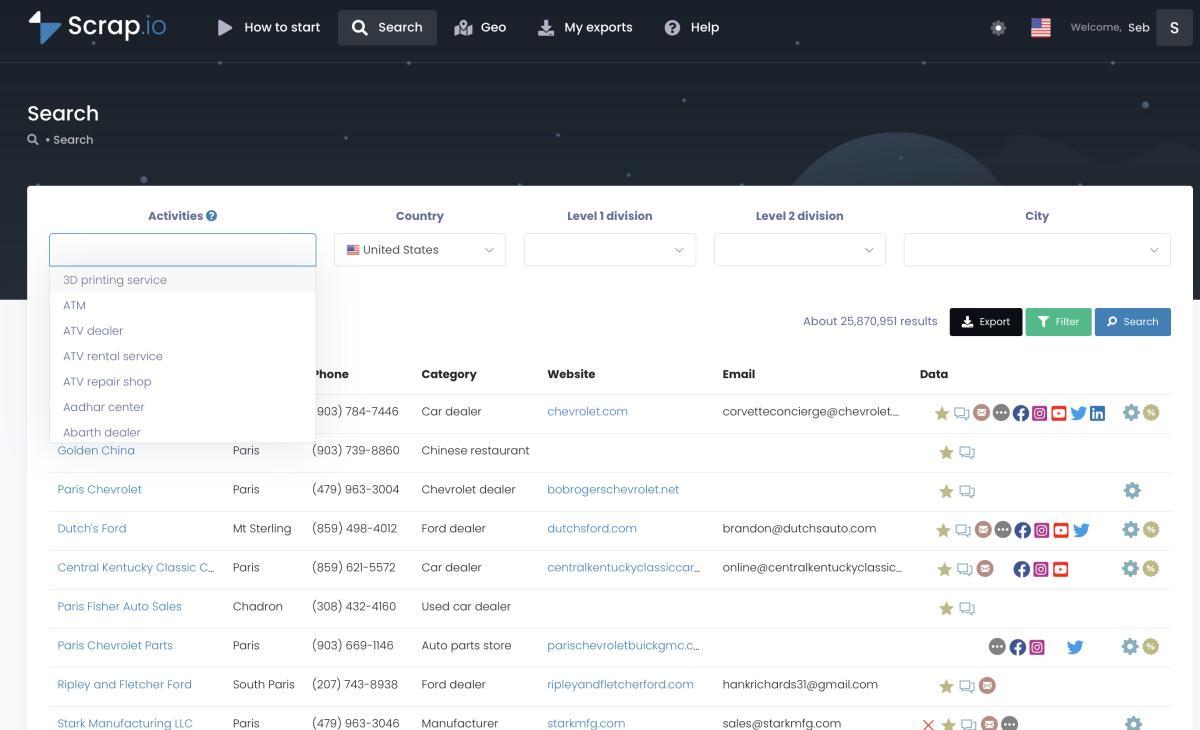
This is where Scrap.io plays a completely different game. Instead of reading LinkedIn profiles, it reads Google Maps. Pick a category from 4,000+ options, pick a zone (a city, a state, or an entire country from 195 available), and it extracts every matching business with its email, phone, social profiles, reviews, and website, straight from the map and the linked site, in real time. 225,676,406 businesses indexed. Two clicks, no code. The plumber LinkedIn can't see? Right there, with a verified email.
Three reasons it beats a LinkedIn finder for this job:
First, coverage. LinkedIn simply doesn't hold local SMBs. Scrap.io pulls them from Google Maps plus their websites, at country scale, in one export. It's the same reason a USA business email database built this way can cover a single city or every state at once.
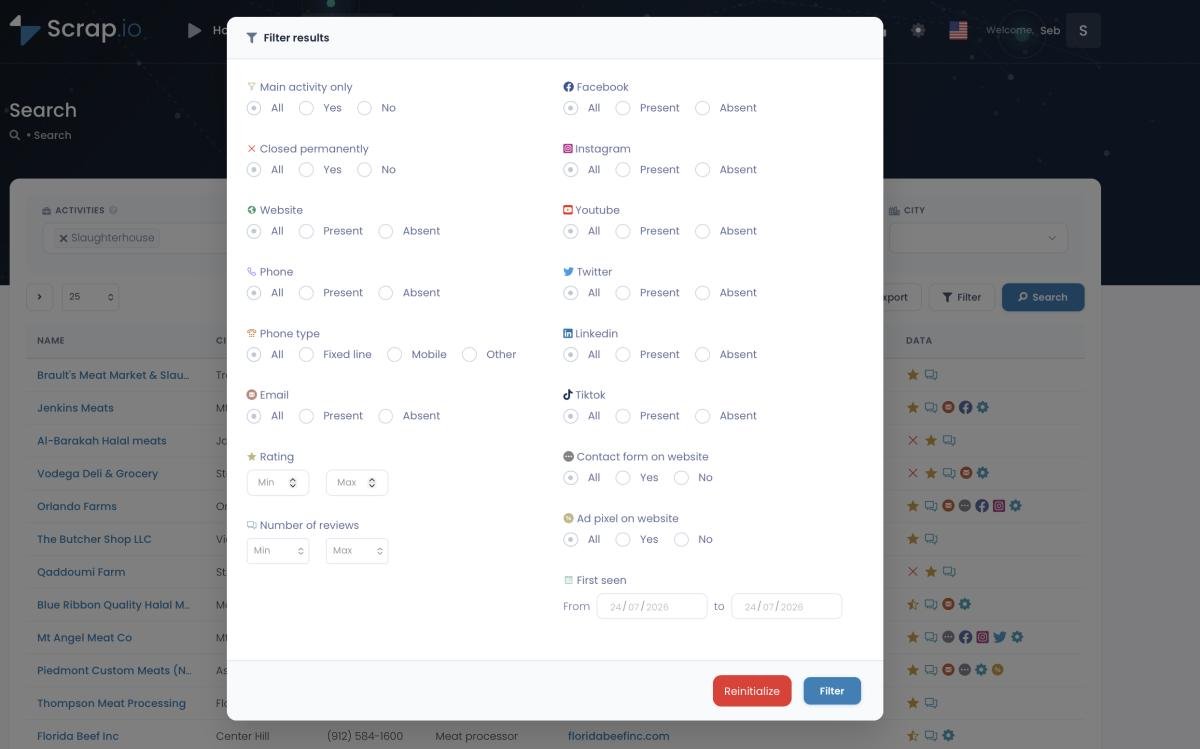
Second, no wasted credits. You filter before extraction. Toggle "email present," and you never spend a credit on a listing that has nothing to reach. That's the opposite of a pattern-matching finder that bills you for a guess that bounces. If you're weighing the two approaches head to head, our Google Maps vs LinkedIn breakdown lays it out.
Third, freshness. Every extraction is live. No database that was scraped last quarter and has been rotting since. Fresh data is exactly what keeps you out of that 15–40% bounce zone. And if you've been comparing LinkedIn-style tools already, the Skrapp vs Scrap.io comparison shows the difference in practice.
Video: Scrap.io - How to Start?
Try Scrap.io free for 7 days. 50 searches and 100 export credits included. Pick any category, any country, filter to email-present contacts, and pull verified local leads LinkedIn will never show you. Start your free trial, 100 leads offered →
Is Using a LinkedIn Email Finder Legal?
Short answer: it's a grey area, and anyone who tells you otherwise is selling something.
Start with the case everyone cites. In hiQ Labs v. LinkedIn, the Ninth Circuit ruled that scraping publicly available data doesn't violate the Computer Fraud and Abuse Act. So grabbing data from a public profile isn't a federal crime. Good. But (and it's a big but) LinkedIn's Terms of Service still prohibit automated scraping of the platform. That's a contractual problem, not a criminal one, and LinkedIn can restrict or ban your account if it detects automation. The law and the platform's rules point in different directions.
Then there's data protection. For EU prospects, GDPR requires a legitimate-interest basis and an easy opt-out on every message. For California, CCPA gives similar rights, though publicly available business data is largely carved out of its scope. None of this bans B2B outreach. It just means you have to do it responsibly: public data only, document your basis, honor every opt-out, keep it relevant.
Worth noting where the risk actually sits. Most reputable finders (Mailmeteor, Anymail Finder, Skrapp, and others) read the public profile from a URL you paste, without automating actions inside your LinkedIn session, which sidesteps the ToS problem. And a tool like Scrap.io avoids the LinkedIn ToS question entirely, because it works from public Google Maps business data, not LinkedIn at all. Publicly available business info, GDPR and CCPA compliant, traceable to its source. For the deeper legal picture, our LinkedIn scraping tool guide covers the compliance angle in full.
How to Choose the Right One
Don't start with the tool. Start with who you're selling to. The right choice falls out of that answer almost every time.
Selling to corporate, white-collar buyers who live on LinkedIn? Go LinkedIn-native. Skrapp or GetProspect for volume, Anymail Finder when deliverability is the priority, Mailmeteor for the occasional one-off. Already know the company and just need the pattern? Hunter.io. Working entirely inside Sales Navigator? Wiza.
Selling to local businesses, SMBs, service providers, the folks who show up on a map and not on a corporate org chart? A LinkedIn finder will starve you. Use Scrap.io and pull them from Google Maps instead. And honestly, plenty of teams run both: a LinkedIn finder for the corporate accounts, Scrap.io for the local tissue, full-spectrum coverage with no overlap.
Whatever you pick, judge it on three things, in this order: verified deliverability (not "found"), real cost per usable email (not sticker price), and how fresh the data is. Get those right and the campaign takes care of itself.
FAQ
How do I find someone's email from a LinkedIn profile?
Use a LinkedIn email finder. Paste the person's public profile URL into a web tool like Mailmeteor or Anymail Finder, or open their profile with a Chrome extension like Skrapp, and the tool reads their name and company, builds the most likely work email, and verifies it. LinkedIn itself won't show you the address unless you're a 1st-degree connection who's opted in, so a third-party finder is the standard route.
Is there a free LinkedIn email finder?
Yes. Mailmeteor's LinkedIn Email Finder is free with no signup for one-off lookups by URL. Skrapp (50/mo), GetProspect (50/mo), Anymail Finder (100 credits), and Hunter (25/mo) all offer free tiers. They're great for testing or grabbing a few contacts, but too small to run a real campaign, and some charge a credit per attempt whether or not an email is found.
How accurate are LinkedIn email finders?
Real-world accuracy lands in the 65–95% range, well below the 90–98% most vendors advertise (Instantly / Anymail Finder, 2026). In one 2026 benchmark only 6 of 13 tools delivered at least 20 verified emails out of 25 (Findymail, 2026). The catch is that "accuracy" often means "found," not "verified and deliverable," so always verify before you send and keep your bounce rate under 2%.
Is using a LinkedIn email finder legal?
It's a grey area. hiQ v. LinkedIn established that scraping public data isn't a CFAA violation, but LinkedIn's Terms of Service still prohibit automated scraping, and GDPR (EU) and CCPA (California) govern how you process and use the data. Stick to publicly available information, document a legitimate-interest basis, and include an opt-out in every message.
What's the best LinkedIn email finder for local businesses?
None of them, and that's the honest answer. Local businesses, plumbers, restaurants, clinics, mostly aren't on LinkedIn, so LinkedIn-based tools come up empty. For local prospects, use Scrap.io, which extracts verified business emails from Google Maps across 195 countries and lets you filter to email-present contacts before spending a credit.
Conclusion
So which LinkedIn email finder wins? The one that matches who you're selling to and hands you emails that actually land. For corporate LinkedIn prospects, Skrapp, Anymail Finder, and GetProspect lead the pack, and you verify everything before you hit send. For local businesses, stop hunting on a platform they were never on and pull them from the map instead. Fresh data, filtered before you pay, is the whole difference between a 2% bounce and a burned domain.
Pull 100 verified local leads today. Start your free 7-day Scrap.io trial, 50 searches and 100 export credits included, and build a fresh, email-present list from any category and any country in minutes. No stale database, no wasted credits. Try Scrap.io free, 100 leads offered →
Generate a list of restaurant with Scrap.io